


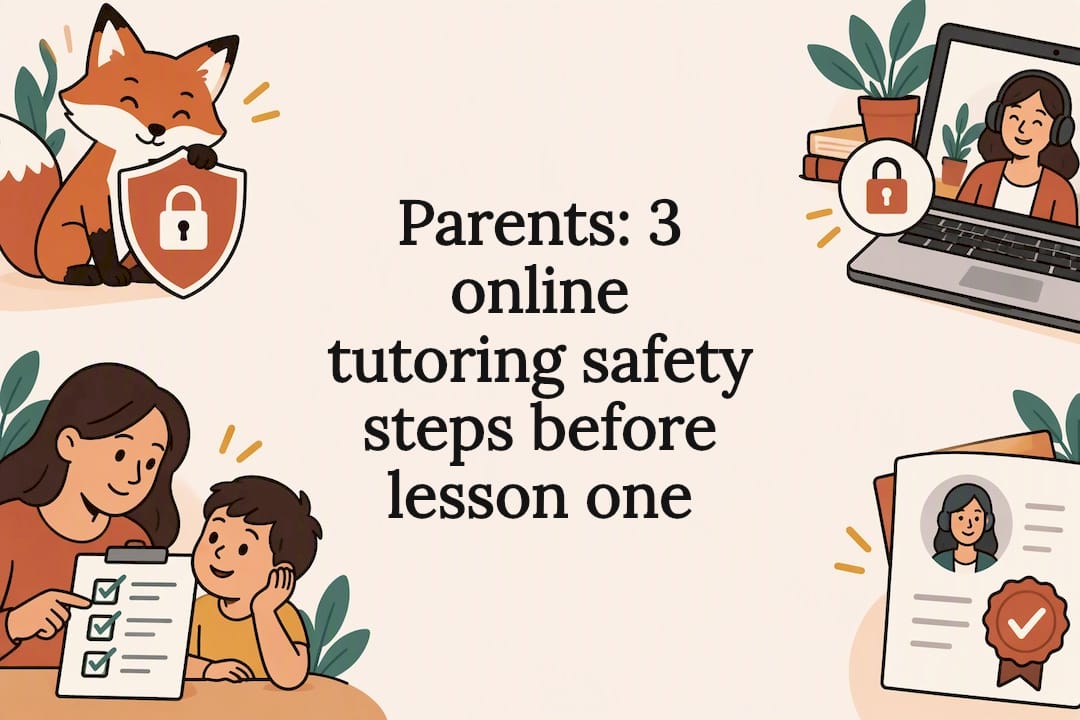
Yes, online tutoring can be safe, and it usually is, when parents verify the tutor, lock down the platform’s security controls, and set clear session rules before lesson one. The Canadian Centre for Cyber Security and Public Safety Canada both publish guidance built exactly for this. Three moves matter most: vet the tutor properly, secure the video platform, and agree on ground rules with your child before you ever click “join.”
TL;DR:
- Properly vet tutors by confirming their identity, credentials, and background checks, especially if the platform lacks strict verification processes.
- Ensure the video platform has security features enabled, such as waiting rooms, unique passwords, host-only screen sharing, and updated software.
- Keep sessions in shared family spaces with clear rules on camera visibility, session length, and parental oversight to prevent unsupervised interactions.
- Watch out for red flags like off-platform messaging, requests for unusual camera activity, or refusal of parental access, and stop sessions immediately if they arise.
- Teach children to recognize uncomfortable situations and develop simple emergency actions, including calling you or using a secret code, to maintain their safety.
Table of Contents
- How to vet an online tutor before you book
- Session rules and home setup that protect children
- Platform security controls parents should insist on
- Privacy, data handling and recordings: what to share and what to refuse
- Red flags: behaviours and signs that should stop a session immediately
- How to talk with your child and create an emergency online-safety plan
- A printable quick checklist parents can use before and during lessons
- Réussite A+ perspective: how our approach builds safety into online tutoring
- How Réussite A+ can help: next steps for parents who want a safe tutoring option
- Sources
- FAQ
How to vet an online tutor before you book
A qualified tutor should never make you feel like you’re asking too many questions. If a provider gets defensive when you request proof of identity or teaching credentials, treat that as your answer.
Start with the basics: confirm the tutor’s identity, university affiliation or teaching background, and ask for references from other families. A provider that runs its own tutor verification process is a safer bet than an open marketplace where anyone can create a profile and start messaging children directly.
Before committing to a package, ask these questions directly:
- Has this tutor undergone a background or vulnerable-sector check?
- What experience do they have working specifically with children in your child’s age range?
- What happens if the tutor is unavailable, and is there a clear cancellation or replacement policy?
- Can you request a short, monitored trial session where you or another adult can observe?
- Will the platform allow you visibility into the session without disrupting the lesson?
That trial session is worth more than any glowing testimonial. Watching one real lesson tells you how a tutor speaks to your child, whether they welcome a parent’s presence, and whether the platform behaves the way it’s supposed to.
Pro Tip: Book the first session as a paid trial rather than a multi-week commitment. A tutor and platform worth keeping will hold up fine under that kind of short-term scrutiny.
Session rules and home setup that protect children
Where your child sits for a tutoring session matters almost as much as who they’re sitting with. A closed bedroom door removes the casual oversight that catches problems early.
- Keep younger students in a shared family space, like the kitchen table or living room, with an adult nearby, not necessarily glued to the screen, but within earshot.
- Set expectations up front about the camera: what’s visible in the background, what the child wears, and what stays off-screen entirely.
- Agree on scheduling norms with the tutor, including how progress summaries get shared with you, and set a firm boundary against messaging your child outside scheduled lessons.
- Cap session length to match your child’s age and attention span, and build in short breaks. A tired, restless child is more likely to accept an odd request just to end the session faster.
These aren’t complicated rules. They’re the kind of structure that makes a lesson feel like school, not like an unsupervised chat window.
Platform security controls parents should insist on
Most video platforms ship with weaker default settings than families assume. The Canadian Centre for Cyber Security notes that security features like waiting rooms and passwords often aren’t active out of the box. Someone has to turn them on before every session.
Before your child joins a lesson, confirm the tutor or provider has:
- A host-managed waiting room, so no one enters the session unannounced
- A unique meeting password or passphrase that isn’t reused across sessions
- Host-only screen sharing, so a stranger or the tutor can’t suddenly display something you haven’t approved
- A private, non-public meeting link that isn’t posted anywhere searchable
- Updated software, since patches close the security gaps that older versions leave open
Enable multi-factor authentication (MFA) wherever the platform offers it, and disable file sharing or unmonitored chat features you don’t actually need. Fewer open doors mean fewer ways for something to go wrong. Host settings are genuinely your first line of defence here; even a reputable platform is only as secure as the host makes it that day.
Privacy, data handling and recordings: what to share and what to refuse
Tutoring platforms don’t need your child’s school name, home address, or a copy of their ID to teach fractions or French grammar. If a provider asks for more personal information than the lesson requires, that’s a reasonable point to push back.
Before you agree to anything, find out:
- Where session recordings are stored, who can access them, and how long they’re kept
- Whether the platform’s data hosting sits in a jurisdiction with privacy protections comparable to Canada’s, since some free platforms route or store data elsewhere while monetizing behavioural data
- Whether payment processing is kept separate from messaging channels, so financial details never travel through the same system as casual chat
The Office of the Privacy Commissioner of Canada points out that technical safeguards alone aren’t enough. Read a provider’s privacy requirements before registering, and treat vague answers about data storage as a reason to ask more questions, not less.
Red flags: behaviours and signs that should stop a session immediately
Trust your instincts here. If something about a session feels wrong, you don’t need certainty before you act.
- The tutor pushes to move communication off-platform, into private messaging apps or social media, especially with your child directly rather than through you.
- They ask your child to do anything unusual on camera, including changing position, showing something outside the lesson’s scope, or taking photos. Public Safety Canada calls this risk “capping,” recording or capturing images of a child without consent, and it’s a recognized warning sign, not a minor overstep.
- The tutor refuses parental visibility, declines to verify their identity, or asks your child to keep the sessions or conversations secret from you.
If any of these happen, end the session immediately. Save screenshots or chat logs as evidence, report the tutor to the platform, and contact Cybertip.ca or local authorities if the behaviour crosses into anything exploitative.
Pro Tip: Screenshot first, react second. Evidence disappears fast once a conversation is deleted, and you’ll want it if you file a report.
How to talk with your child and create an emergency online-safety plan
Kids need to hear, explicitly, that they can stop a session and tell you without getting in trouble for it. That single message removes the fear that often keeps children quiet about something uncomfortable.
Build a short, testable plan together:
- Agree on one clear action: close the laptop, call for you, or use a simple code word if they feel unsafe.
- Practise a few scenarios out loud: an unfamiliar person joining the call, a strange recording request, or a message that feels off.
- Keep helpline numbers and reporting sites, like Cybertip.ca and KidsHelpPhone, somewhere your child can find them without asking you first.
The Office of the Privacy Commissioner frames this well: technology can block some risks, but a child who knows how to recognize and refuse a bad situation is protected in ways no setting can replicate.
A printable quick checklist parents can use before and during lessons
Keep this near your computer or fridge for the first few weeks of any new tutoring arrangement.
- Before the lesson: confirm the tutor’s identity, check that the meeting link is private and password protected, and review the provider’s privacy policy.
- During the lesson: keep your child in a shared space, stay within earshot, and jot down anything unusual for later.
- If something feels wrong: stop the lesson immediately, save any evidence, and report it to the platform or the appropriate authority.
| Stage | What to check | Action if something’s off |
|---|---|---|
| Before | ID, secure link, privacy policy, agreed rules | Delay the session until confirmed |
| During | Shared space, visible parent, consistent schedule | Note it and raise it after the lesson |
| If concerned | Stop, save evidence, report | Contact the platform and Cybertip.ca |
Réussite A+ perspective: how our approach builds safety into online tutoring
We built our tutoring model around university-level tutors, parent-visible sessions, and clear communication because that’s what actually reduces risk, not because it looks good on a checklist. Ask any provider you’re considering the same questions you’d ask us: How do you verify tutors? Can a parent observe a session? Where is our data stored? Our session flow and consultation checklist answer most of that before you even book.
— Réussite A+
How Réussite A+ can help: next steps for parents who want a safe tutoring option
A lot of tutoring platforms leave parents guessing about who’s actually on the other side of the screen. Réussite A+ is built the opposite way: every tutor is selected at the university level, sessions follow a consistent structure, and parents get real visibility into how their child is progressing, not just a monthly invoice.
If your child needs steady, structured support, our regular sessions run at $30 to $35 per hour and follow the same safety-minded format described throughout this article. Families preparing for secondary school entrance exams can look at our exam preparation program, priced the same way, with a $65 one-time registration fee covering setup. Need focused help in French? Our French tutoring programs follow the identical vetting and session-visibility standards.
Book a consultation and ask us directly about tutor verification, session monitoring, and how we handle your child’s information. It’s the fastest way to see whether we’re the right fit before you commit to a full term.
Sources
- Considerations when using video-teleconference products and services – Canadian Centre for Cyber Security
- Capping – Public Safety Canada
- Privacy education for kids – Office of the Privacy Commissioner of Canada
FAQ
What are the disadvantages of online tutoring?
Online tutoring removes some of the casual oversight an in-person classroom provides, which is why home setup and platform security matter more than they would face-to-face. The main risks, like unverified tutors, weak platform settings, or a lack of parental visibility, are all manageable with the steps outlined above rather than reasons to avoid it entirely.
What are the 4 C’s of online safety?
Definitions vary across organizations, but online safety guidance commonly groups risks into categories like content, contact, conduct, and commerce, covering everything from harmful material to unwanted contact and data misuse. Rather than memorizing a specific framework, focus on the practical safeguards covered here: verified tutors, secure platforms, and open conversation with your child.
What is the best way to teach children about online safety?
The Office of the Privacy Commissioner recommends frequent, honest conversations that build a child’s own judgment, rather than relying only on technical blocks. Combine that with a rehearsed emergency plan, like a code word or a clear “close the device and tell me” rule, so your child has a concrete action ready if something feels wrong.
Are online tutors worth it?
Online tutoring is worth it for most families when the provider verifies tutors and gives parents real visibility into sessions. Réussite A+, for example, uses university-level tutors and structured, trackable sessions, which addresses both the academic and safety concerns parents raise most often about learning online.